End-of-year offer Planner for the price of Reporter for two years, set up for you during a free 30-day trial. Ten places, start by 31 January.
Solutions · Plan the year

Next year's budget,
in on time.

The budget round is weeks of sending files out and chasing them back. In SwiftBalance the budget holders type into a report, hand it in when they're done, and you see who is finished on one board.

Book a demoStart free
The planning workflow

The budget round, in order.

01

Prepare

A starting budget: copy the actuals, forecast by rule, spread to months.

02

Open

Start the cycle for a version, a period and the branches you pick. The people you choose get an email.

03

Enter

Budget holders type into a report beside last year, each seeing only their own region.

04

Submit

They hand their members in. Reminders go to whoever is still working.

05

Review

Accept, reject or reopen a region from the status board.

06

Sign off

Close the cycle, then lock the version so the signed-off budget stays as it is.

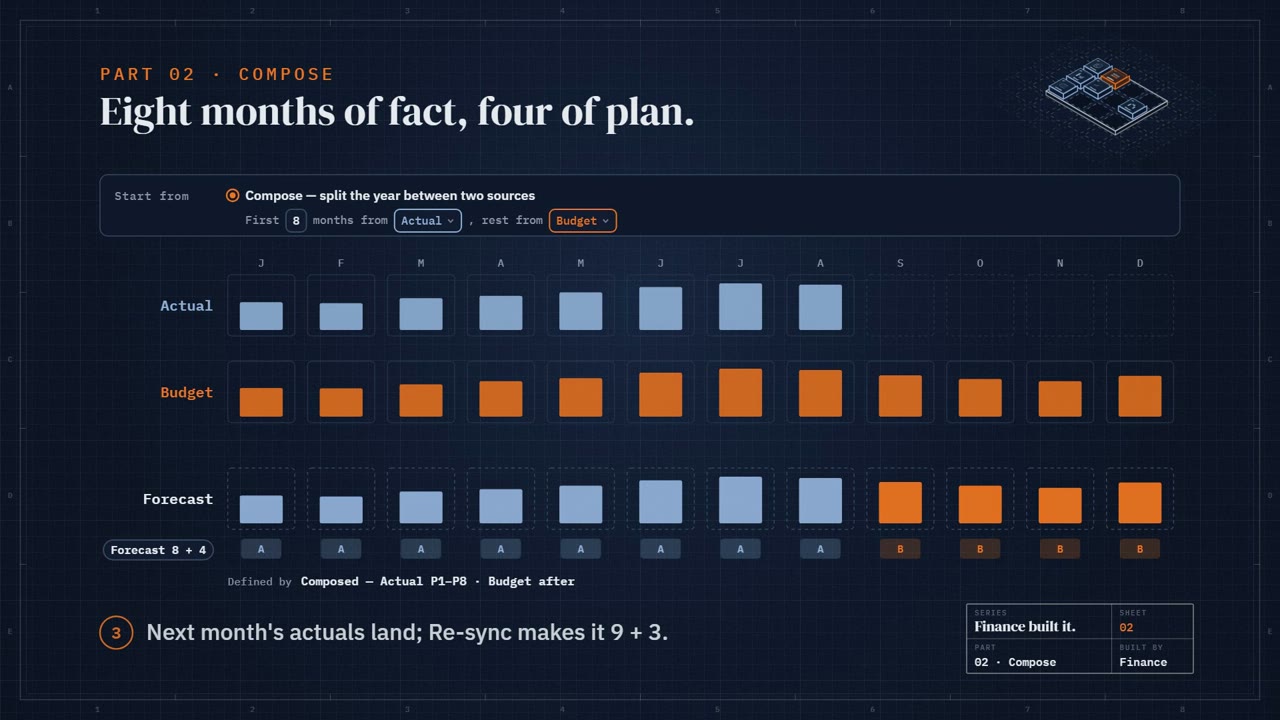
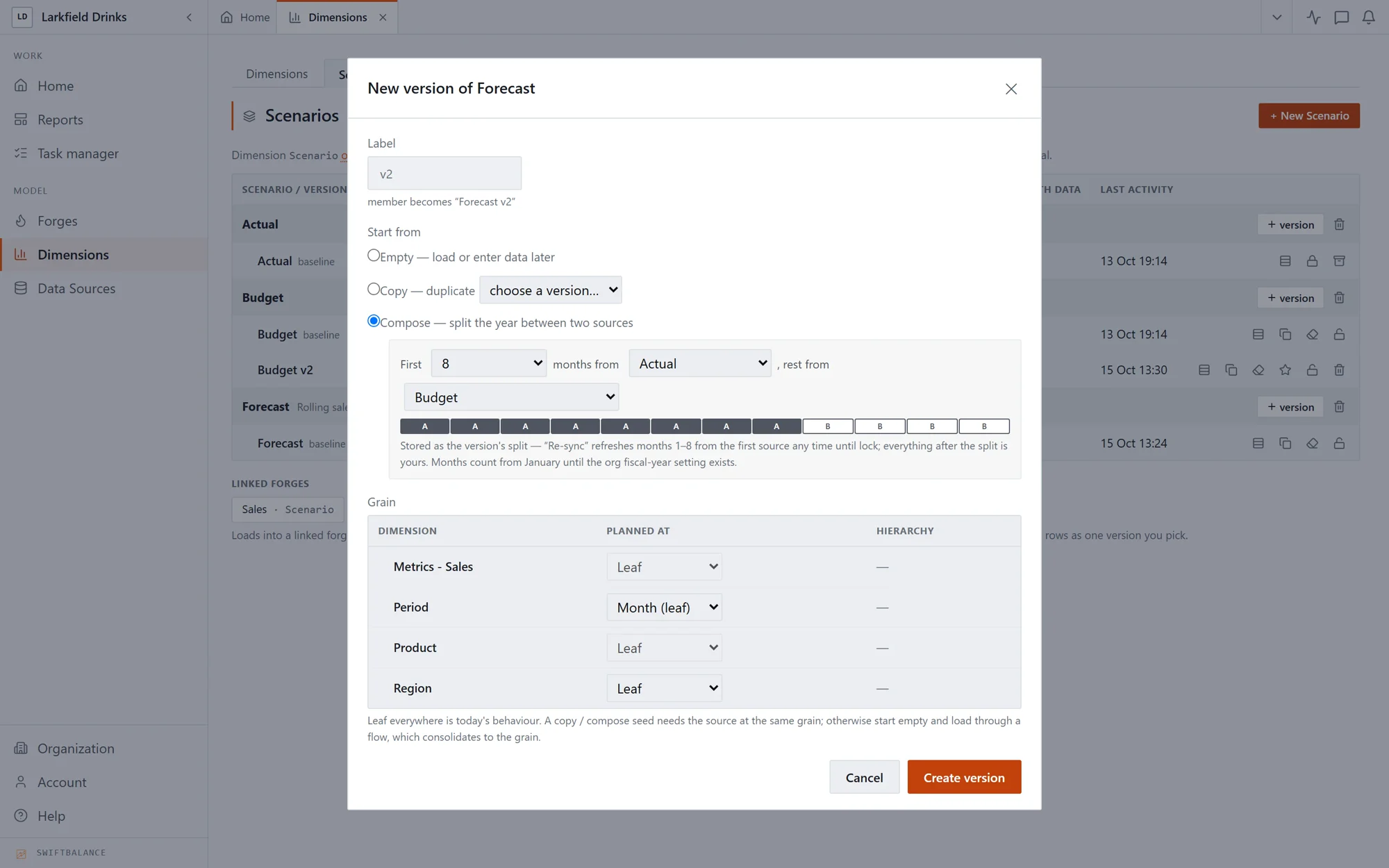
New version of Forecast: composed from the first eight months of Actual and the rest from Budget
Prepare

Nobody starts
from a blank sheet.

Build the starting budget before anyone sees it. Copy this year's actuals into a new version, or compose it from actuals and forecast split at a month, then let forecast rules and spreads fill in the rest.

  • 01Copy, compose or start a version empty
  • 02Forecast methods per range: run-rate, growth, seasonal or your own formula
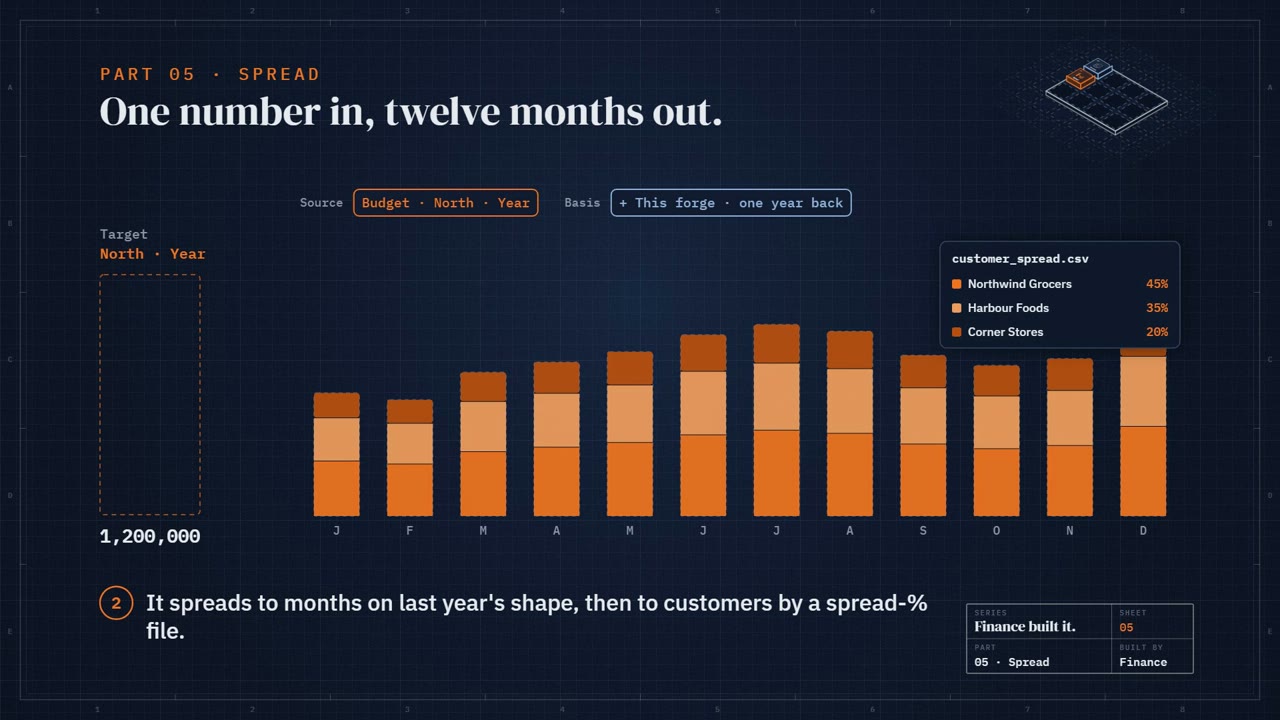
  • 03Spread yearly figures to months by last year's shape
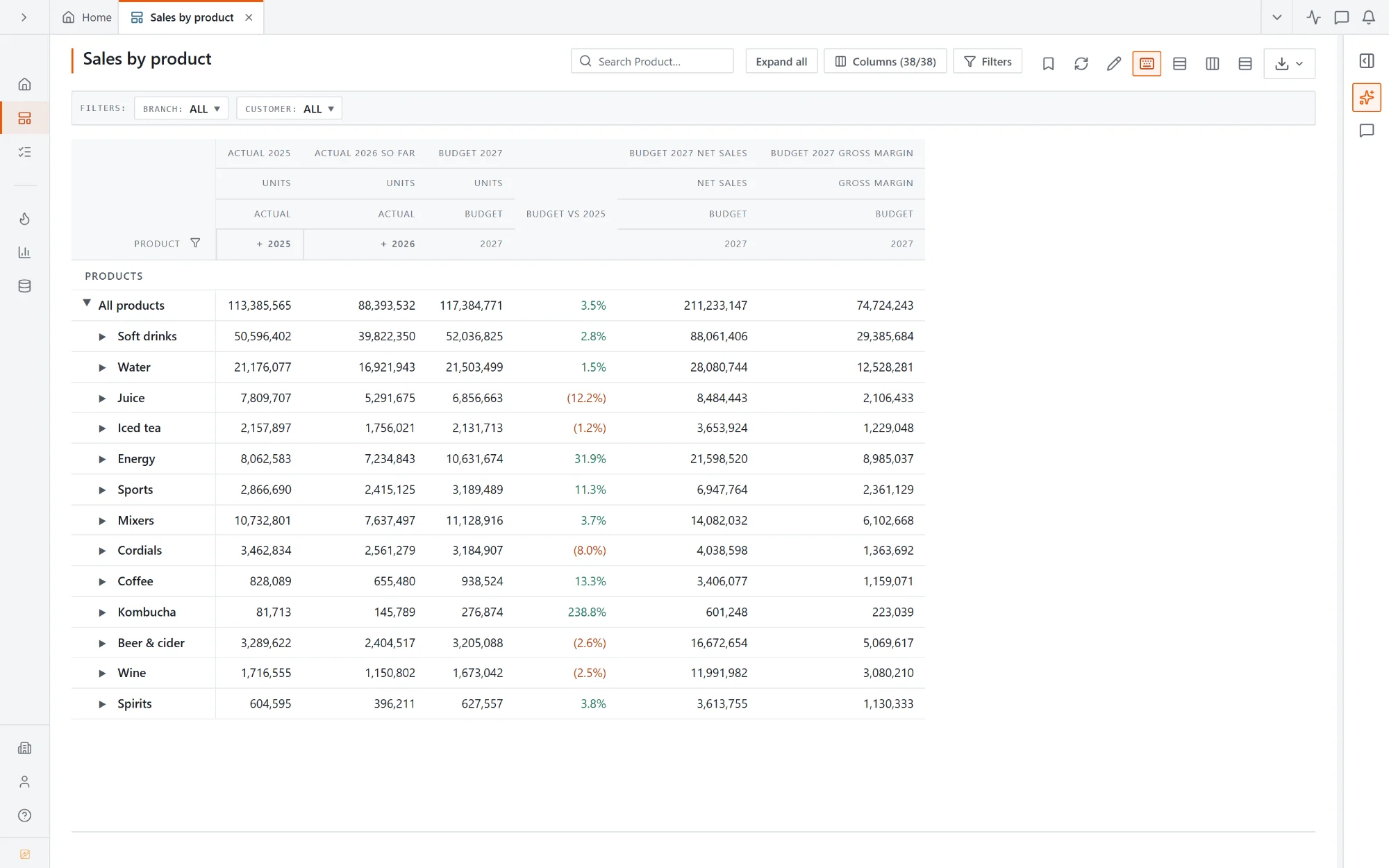
Sales by product input report: actual units last year and this year beside budget units, net sales and gross margin
Enter

Budget holders type
into a real report.

No template to download, fill in and send back. Each budget holder opens the report, sees last year and this year so far beside the budget, and types. Figures that follow from what they enter recalculate as they save.

  • 01Last year, this year and budget side by side
  • 02Each person sees only their own region or cost centre
  • 03Ask for a new line or member from inside the round
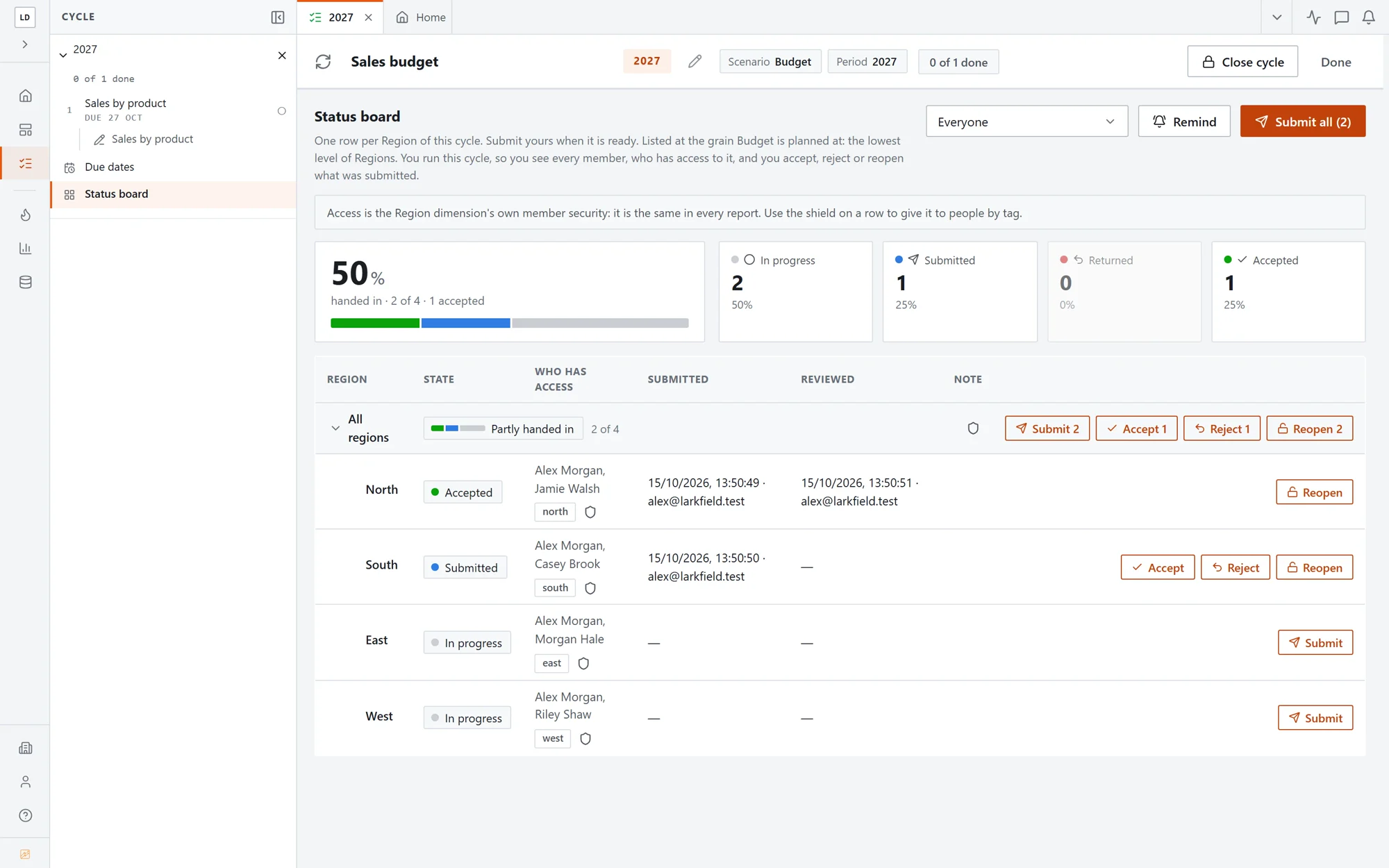
The Sales budget cycle's status board: North accepted, South submitted, East and West in progress
Review and sign off

Who has handed in,
at a glance.

One row per region: what was submitted, when, and who accepted it. Accept the ones that are right, send the rest back with a reason, and remind everyone still working in one click.

  • 01Accept, reject or reopen one region or all of them
  • 02Emails when the cycle starts, work is submitted, accepted or rejected
  • 03Lock the version once it is signed off
See it work

The parts behind the starting budget.

Versions

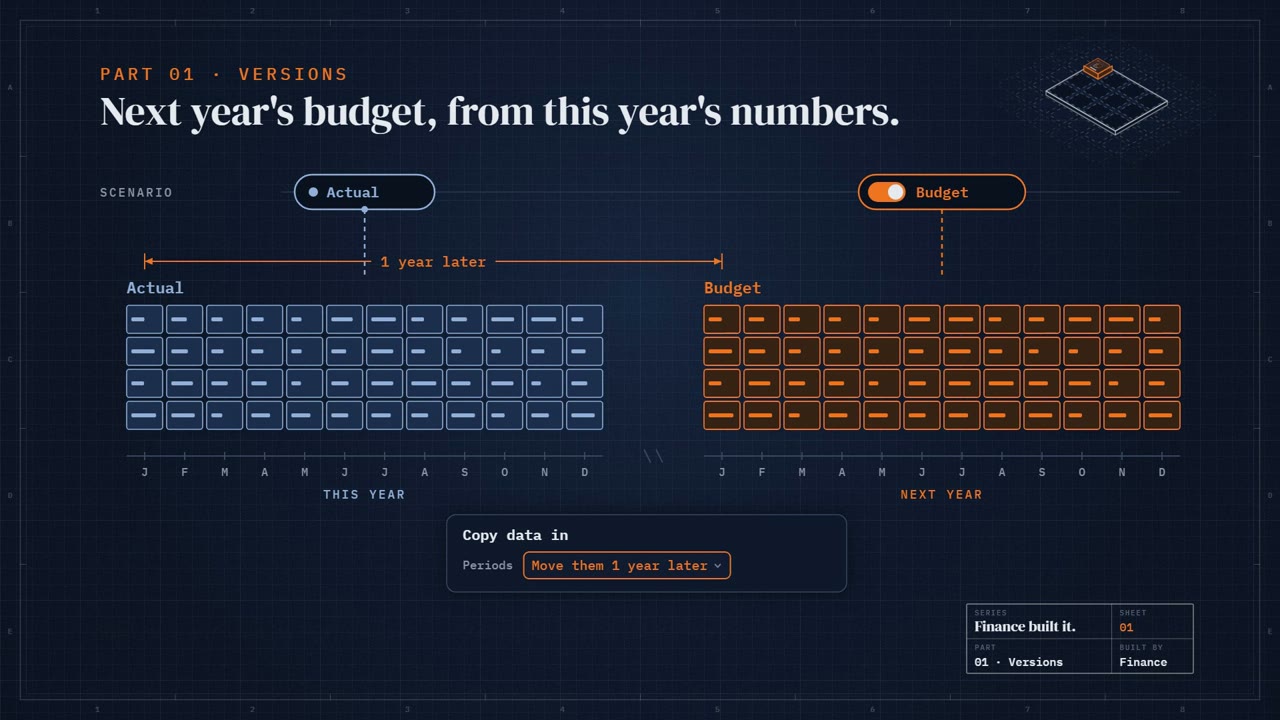
Next year's budget, from this year's numbers. Copy data into a new version, move the periods a year on, and lock what's final.

Compose

Eight months of fact, four of plan. Compose a version from two sources and split the year between them.

Spread

One number in, twelve months out. Spread a target across months and lines on the basis you choose.

Forecast

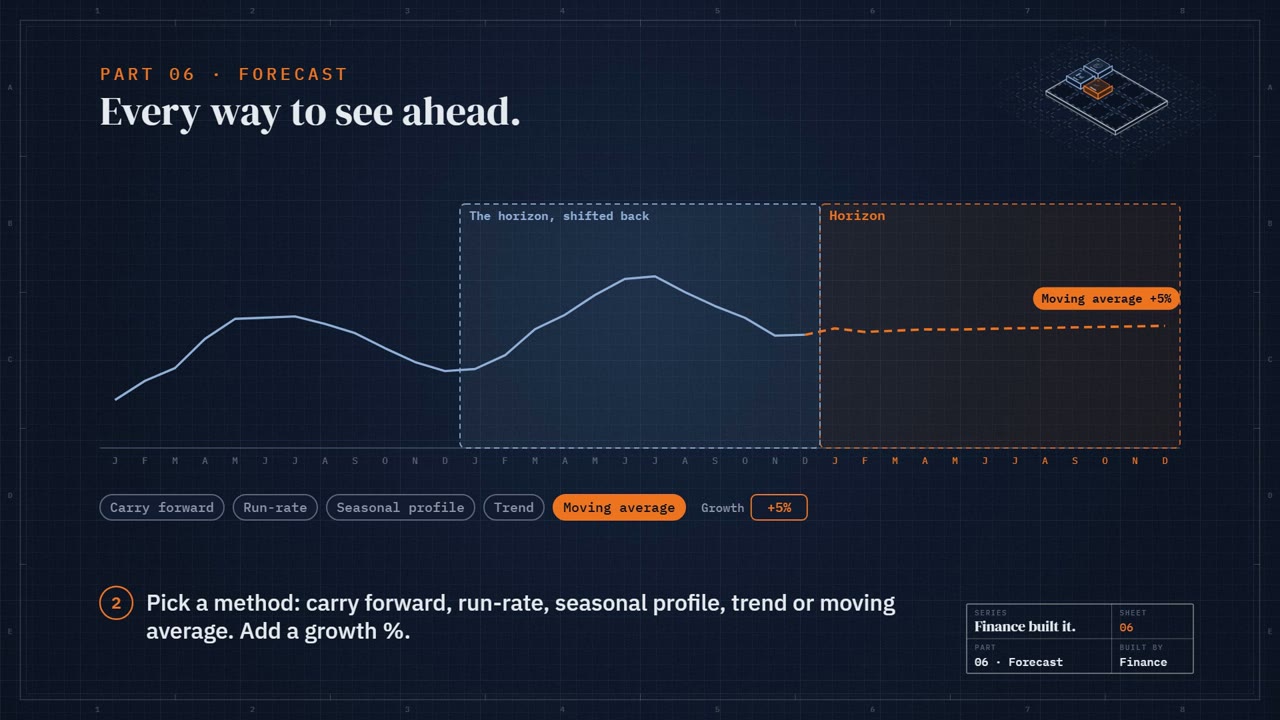
Every way to see ahead. Pick a horizon, a source and a method, and let rules choose the method line by line.

Common questions

Do budget holders need training?

They open a report that looks like the ones they already read, with last year beside the budget, and type into the budget column. Submitting is one button.

Can each manager see only their own numbers?

Yes. Member access decides which regions, branches or cost centres each person sees, and the same report shows each of them only their part.

Can we run the same round every year?

Yes. The steps live in a task list. Each year you start a new cycle on the new version and period, and the same steps run again.

What happens to the budget once it is signed off?

Lock the version and nothing changes it. Every report that compares actuals with budget reads it straight away.

End-of-year offer · ten places · start by 31 January 2027

Planner for the price of Reporter.

To launch planning, ten companies get Planner at the Reporter price for their first two years. Our team sets it up with you on your own data during a free 30-day trial, so you see it working before you pay anything.

  • A free 30-day trial, with up to five days of setup by our team
  • Type budgets and forecasts straight into your reports
  • Spread, allocate and forecast flows, and budget cycles with sign-off
  • 15 contributor seats for your budget holders
  • Not happy within 90 days of paying? We refund the months you haven't used
Planner £625 / month £417 / month for your first two years billed annually as £5,000/yr + a free 30-day trial, set up for you Start your free trial or book a demo first

For the first ten new companies to start a trial by 31 January 2027. When the 30-day trial ends, the first year is billed annually: Planner at the Reporter price for the first two years, then at the Planner price. Within 90 days of that first payment you can cancel, and we refund the months left in the year. Setup covers loading your data and building your first reports, up to five days. Prices exclude VAT.

Run next year's round
here.

Book a demo and we'll set up a cycle for your own branches.

Book a demo Start free