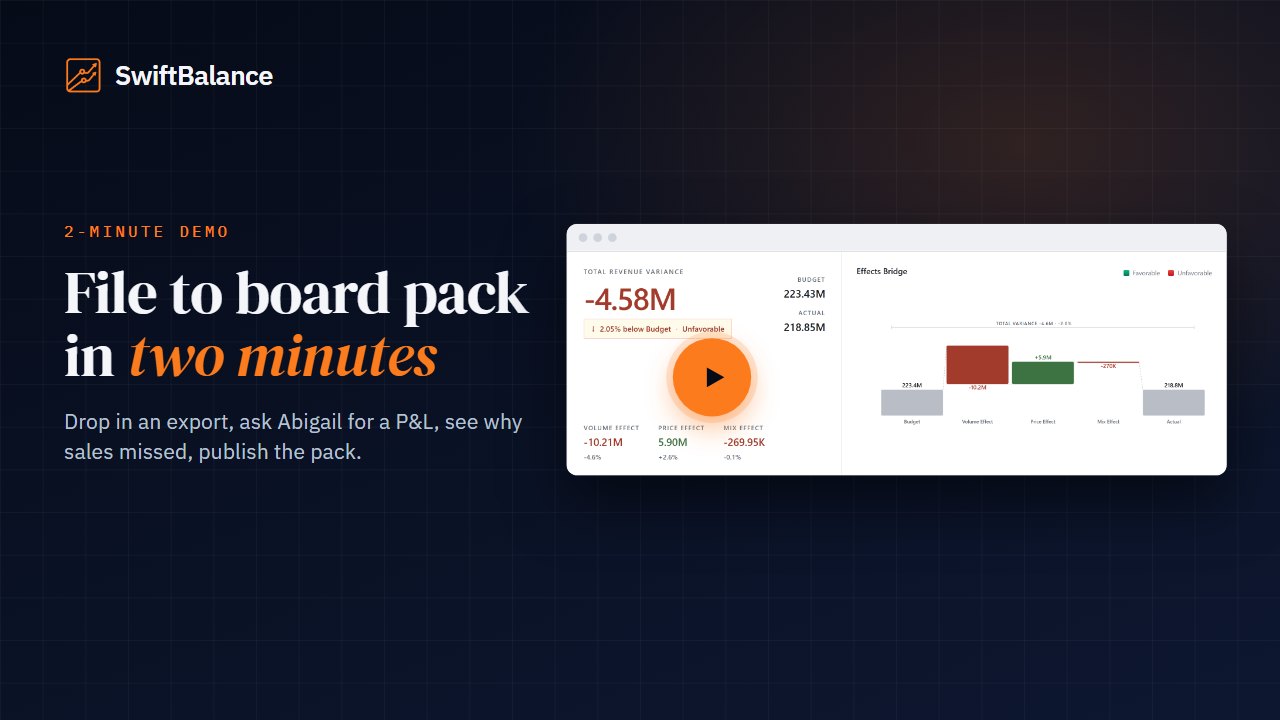
File to board pack in two minutes Drop in a management accounts export, build a forge, ask Abigail for a P&L, slice it by region, explain the sales miss, and publish a numbered PDF.
Lay out the pack once: reports, variance pages and commentary, in your brand. Next month it fills itself from the new data, and you publish it for sign-off.
File to board pack in two minutes Drop in a management accounts export, build a forge, ask Abigail for a P&L, slice it by region, explain the sales miss, and publish a numbered PDF.
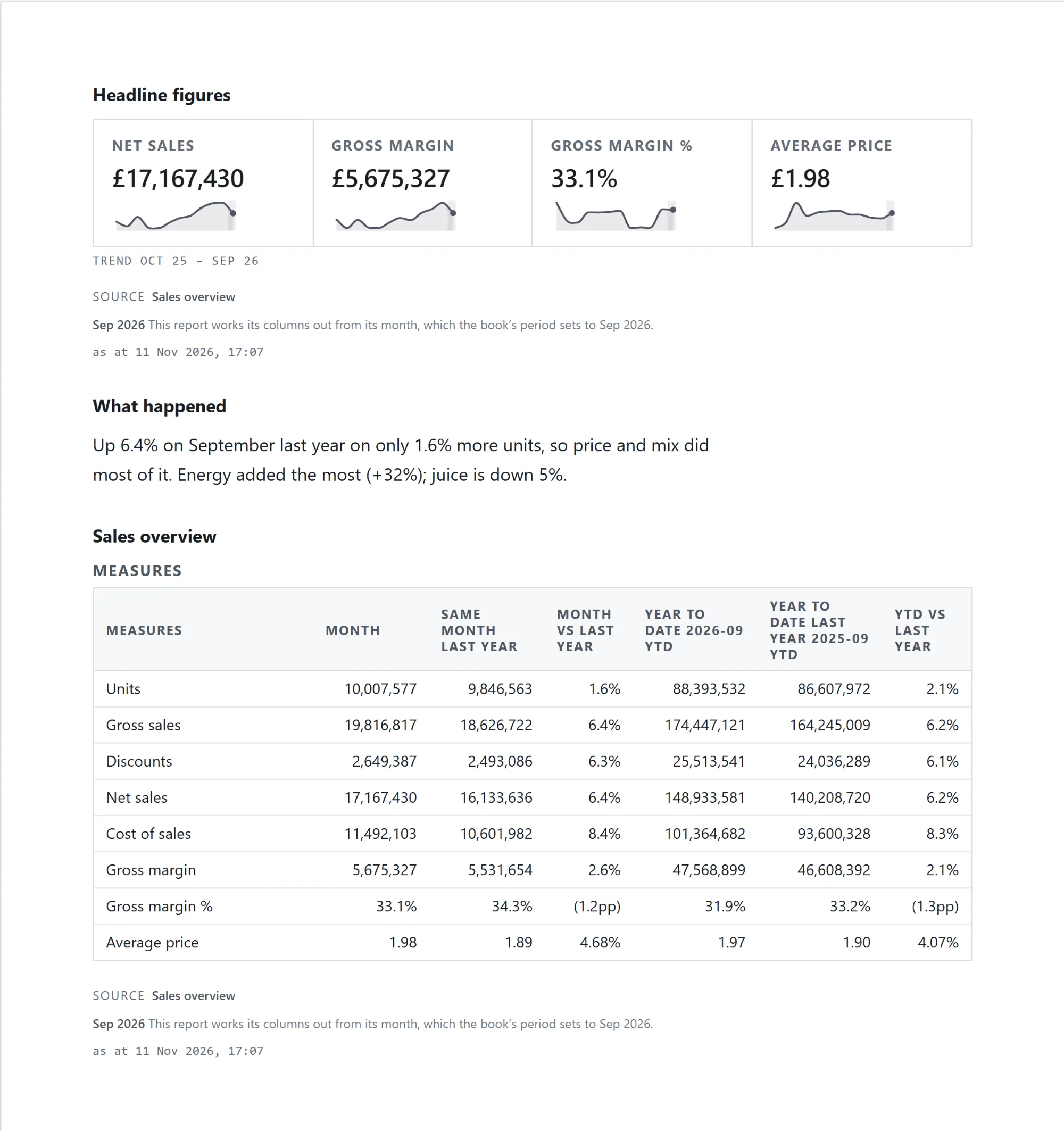
A page of the monthly pack: the headline figures with their trend, a note on what happened, and the sales overview straight from its report, every figure in the report's own format. Next month the figures fill in from the new data, and your words stay as you wrote them.
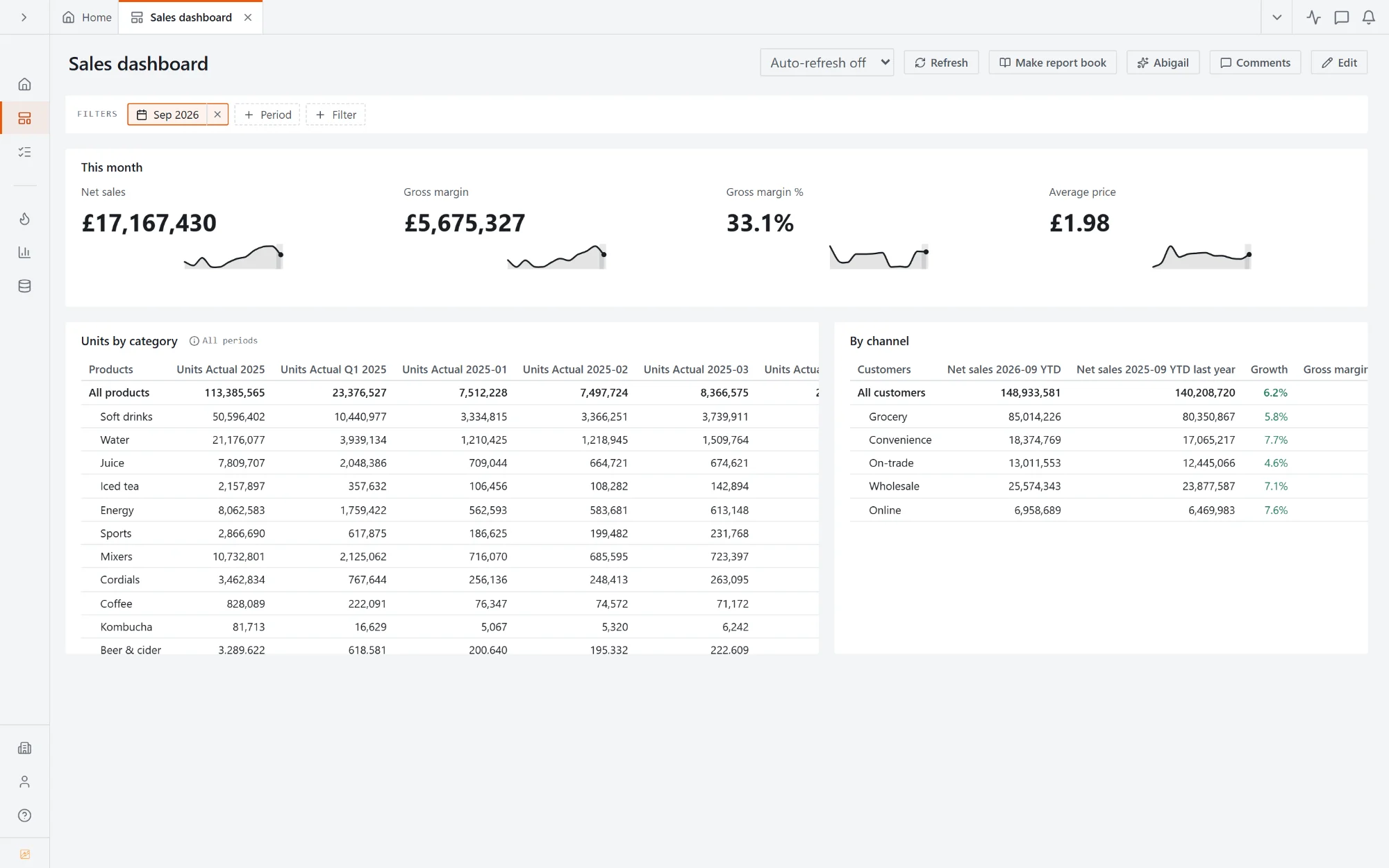
KPI tiles with their trend, units by category, sales by channel against last year. Pick another month and every tile and table follows. When it's ready for the board, Make report book turns it into pages.
Reports, variance pages, dashboards and text pages in one numbered book, with a contents page.
Pick next month and every report page fills from the new data. Text pages stay as you wrote them.
Label the publication and download it as a PDF or a PowerPoint deck in your brand.
Share it with a note and ask the people who need to approve it to sign it off.
Reports, variance and text pages in one numbered book, with a contents page.
Label a publication, send it with a note, and ask people to sign it off.
Every publication downloads as a PDF or a PowerPoint deck.
KPI tiles, charts and tables from your reports, on one page that follows the period you pick.
Logo, colours and number formats set once for every report, book and export.
Pin a comment to a number, mention a colleague, and it travels with the number to next month.
Book a demo and we'll build a pack's first pages in front of you.