End-of-year offer Planner for the price of Reporter for two years, set up for you during a free 30-day trial. Ten places, start by 31 January.
Security

Your numbers,
seen by the right people.

Finance data is the most sensitive data a company has. SwiftBalance decides who signs in, who sees which part of the model and who can change it, and records every change to access.

Book a demoAsk a security question
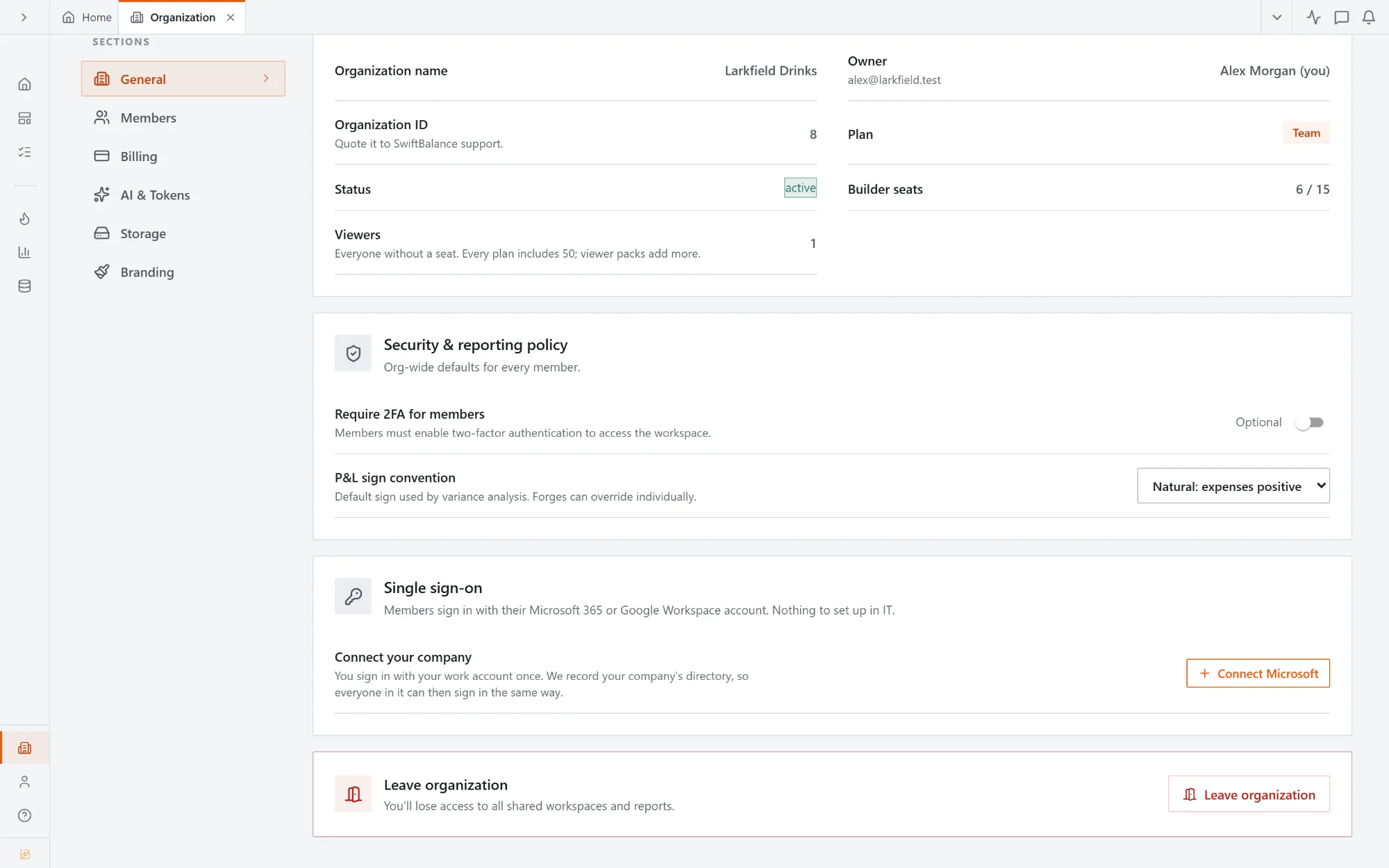
Organization settings: Single sign-on, connect your company's Microsoft or Google directory
Sign in

Sign in with Microsoft or Google.

Your team signs in with the work account they already use. The Owner connects the company once; there is nothing for IT to set up.

  • 01Microsoft 365 and Google Workspace
  • 02Single sign-on off, allowed or required for every member
  • 03People from your company can ask to join; an Owner or Admin approves
  • 04The Owner keeps a password sign-in as a way back in
Who gets in

Sign-in that holds.

01

Two-factor authentication

An authenticator app or a code by email, with recovery codes. Turn it on per person, or require it for everyone in the organisation.

02

Failed sign-in limits

Repeated wrong passwords from one address are refused. Many from everywhere, and the next sign-in needs a code from the owner's inbox.

03

Short sessions

Sign-in tokens last minutes, not days, and renew while someone is working.

04

Seats and roles

Owners, Admins, builders, contributors and viewers. Viewers read; they never change the model or the numbers.

Who sees what

One report,
each person sees their part.

01

Member access

Decide per dimension which regions, branches, accounts or cost centres each person or group sees. Every report, dashboard, export and drill follows it.

02

View as

An Owner or Admin can see the app exactly as a member sees it, read-only, to check access before anyone opens a report.

03

Nothing hidden silently

When access hides something, the screen says so, without naming what it hid.

04

Abigail follows it too

The AI assistant reads with the asking person's access, never more.

See it work

One report.
Their own numbers.

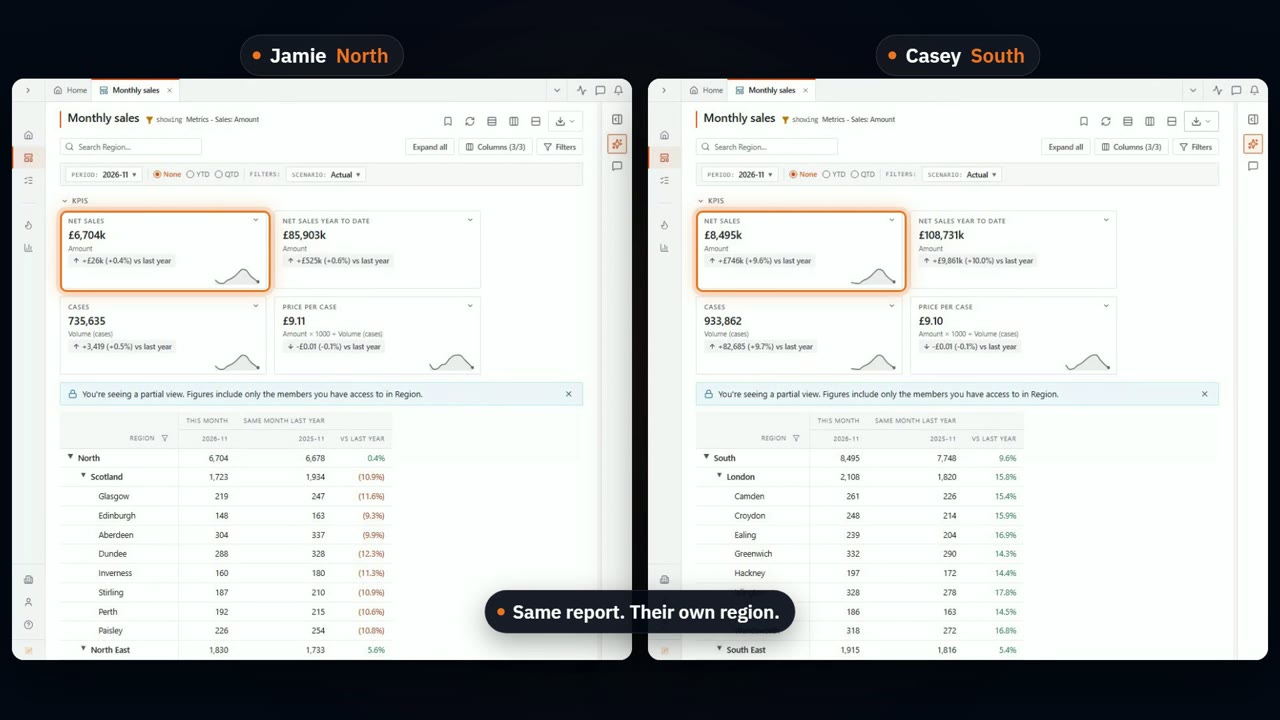
Finance sees the whole company. The same report, opened by two regional managers side by side, shows each of them only their own region, in the tiles and in the table. A search for the other region's branch finds nothing.

Everyone, their own numbers. One report, shared with every regional manager. Each one opens it and sees only their own region.

Your data

Kept apart,
encrypted, in the EU.

01

Separate per organisation

Every organisation's data sources and forges sit in their own files, and every request is checked against the organisation it belongs to.

02

Encrypted

At rest with AES-256 and in transit with TLS, on Cloudflare R2 with built-in DDoS protection.

03

Stored in the EU

In Western Europe, under Cloudflare R2's EU jurisdiction.

04

Not used to train AI

Abigail runs on enterprise model APIs that don't keep inputs for training. Your data never trains any model.

Every change recorded

Who changed access,
and when.

01

Audit log

Members, invitations, roles, permissions, single sign-on and billing changes, with who made them. Owners and Admins can read it.

02

Report history

Every saved version of a report is kept, so you can see what changed and go back.

03

Locked versions

Lock a signed-off budget or forecast, and no load or recalculation changes it.

Questions from your IT team?

Send them over. We'll answer them in writing, or walk your IT team through it on a call.

Book a demo Ask a security question